Type in 𝐛𝐨𝐥𝐝 where there is no bold button.
Post boxes only take plain text. This swaps your letters for look-alike letters that are already bold - so the styling survives the paste, anywhere you type.
Free · Works offline · No sign-up, no tracking
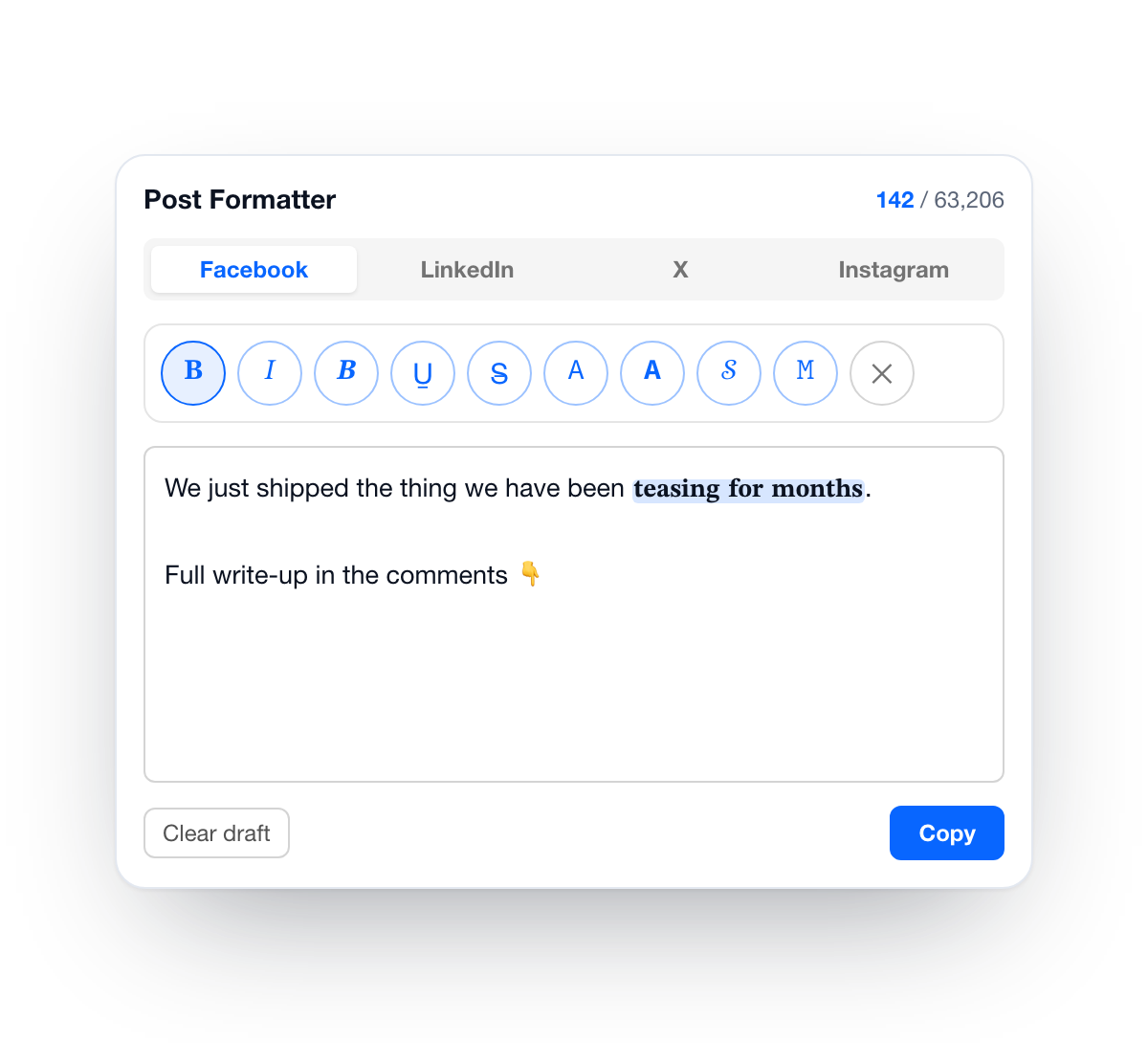
Try it right here
Type below, pick a style, copy the result.There are websites that do this. Here's what's different.
Making the letters is the easy part - plenty of pages do it. The annoying part is the trip: open a tab, paste, copy, go back, paste again. Every single time.
| Generator website | This extension | |
|---|---|---|
| Styling your text | Leave, paste, copy, come back | In place, or one popup away |
| Facebook composer | Copy-paste round trip | Toolbar right next to it |
| Character limit | You can't see it | Per platform, live |
| X counts styled letters twice | Ignored | Counted correctly |
| Undo the styling | Rarely | One click |
| Who sees your draft | Their server, if they want it | Nobody - it never leaves your machine |
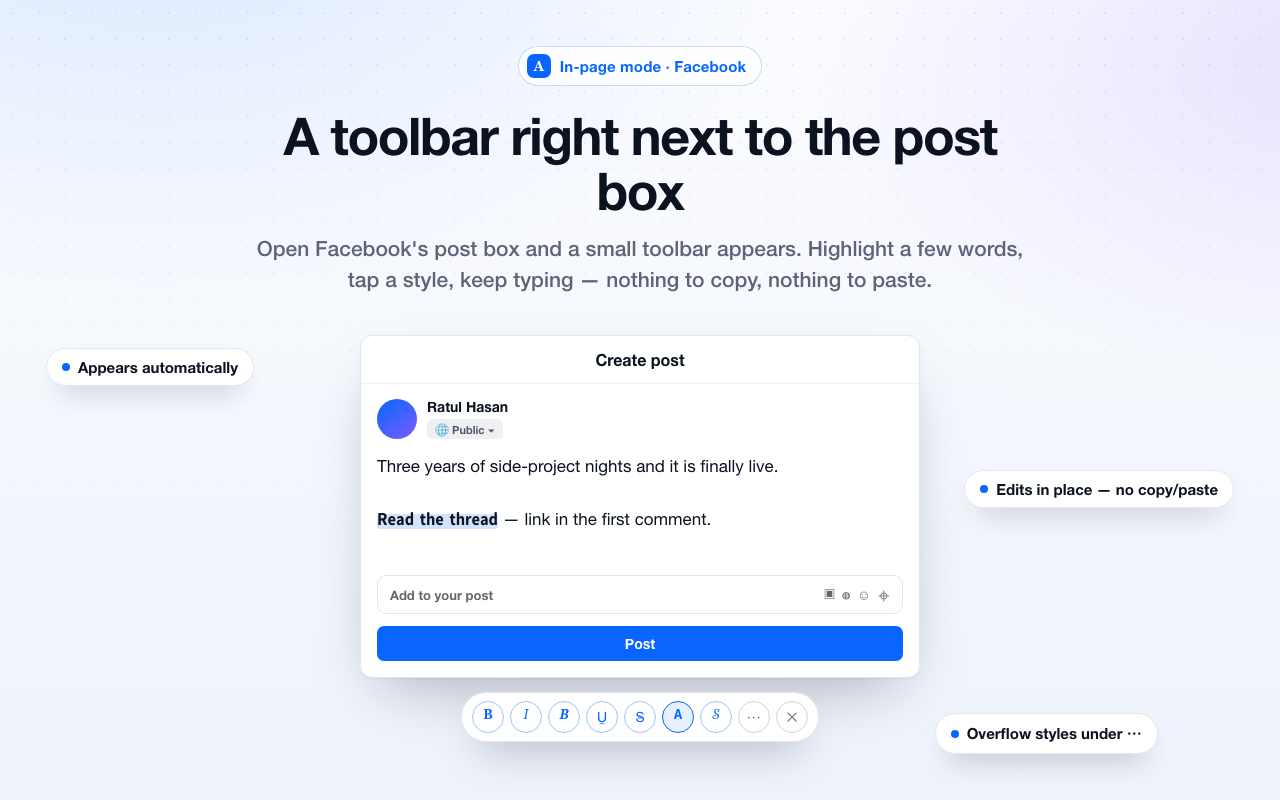
A toolbar inside Facebook's composer
Open the post box and a small toolbar appears below it. Highlight a few words, tap a style, keep typing. The text changes right where it is, so there's nothing to copy and nothing to paste back.
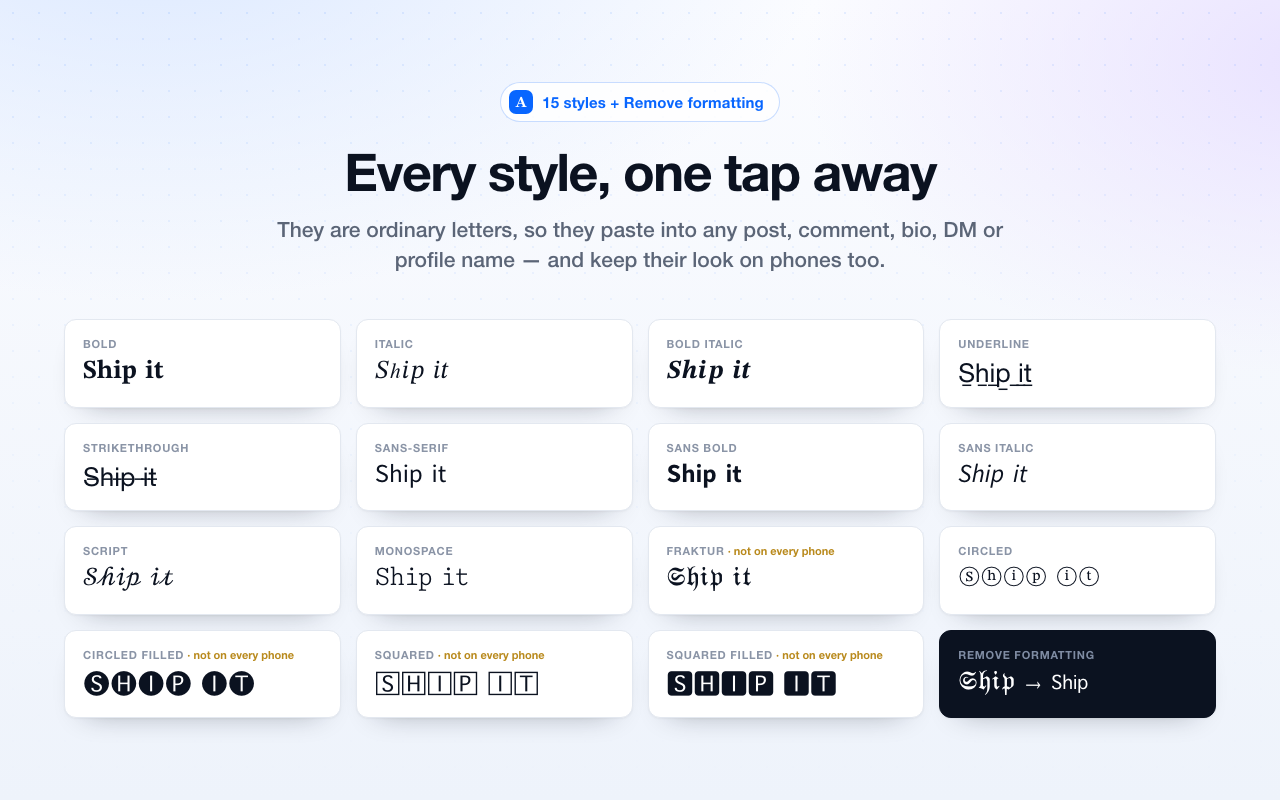
Fifteen styles, plus an undo
They're ordinary letters, so they paste into posts, comments, bios, DMs, profile names, documents and spreadsheets alike.
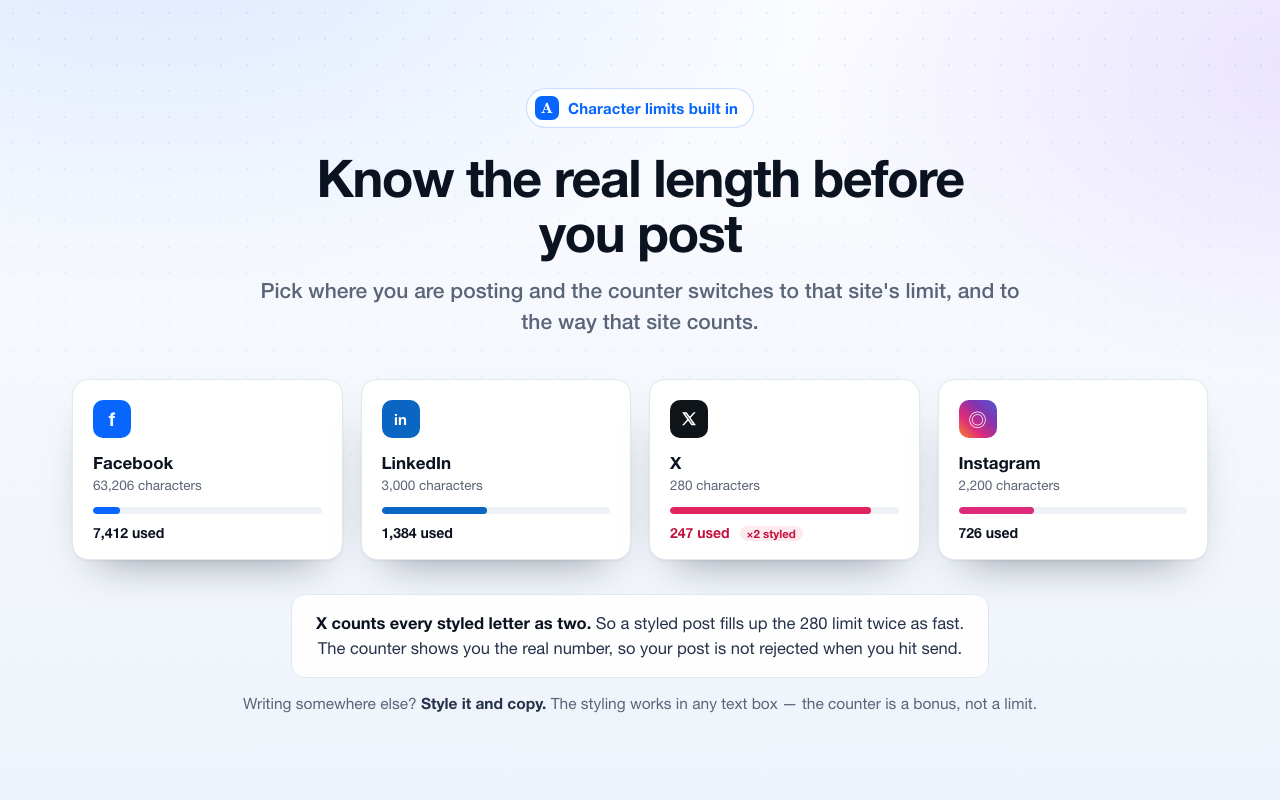
Length that matches the platform
X counts every styled letter as two, so a styled post fills up the 280 limit twice as fast. The counter already knows, and shows you the real number - so your post isn't rejected when you hit send.
Your draft never leaves the browser
No sign-up, no server, no ads, no tracking. Nothing you type is sent anywhere - it happens inside your browser, and it works with the internet turned off.
Undo the styling
One click turns styled text back into plain text - including underlines and strikethroughs.
Two permissions
Saving your draft, and access to facebook.com for the toolbar. It can't see your other tabs, your history or any other site.
Open source
Every line of it is public. Read exactly what it does before you install it.
Questions people actually ask
Is this a font?
No - a font can't travel through a post box. These are separate look-alike letters that already appear bold or italic, which is exactly why the styling survives copying, pasting and re-sharing.
Will everyone see it correctly?
On computers and modern phones, yes, for the common styles. Four of them - Fraktur, Circled Filled, Squared and Squared Filled - use rarer letters that some older phones don't include, and can show up as empty boxes. The app marks those four rather than hiding it.
Are there any downsides?
It can. Screen readers read these letters oddly, and Google doesn't recognise them as normal words. Use them for a headline or one line you want to stand out - not for a whole post, and not for anything that has to be read aloud properly.
Does it work outside social media?
Yes. What the popup gives you is ordinary text, so it pastes into documents, spreadsheets, forum posts, marketplace listings, calendar invites - anywhere you can type. The toolbar that appears in the post box is Facebook-only.
Why does it want access to facebook.com?
Only so the toolbar can appear next to the post box and restyle the words you highlighted. Nothing else on the page is read, and nothing is sent anywhere. Everywhere else is handled by the popup, which needs no access to any site.